

In most contemporary web designs, all web pages are created based on a number of structural elements that arrange the contents and enhance the user experience. These elements include the header and the footer, some of the most significant parts. They are shown on nearly every page of a web site and allow the visitor to get where they need to in a matter of seconds, comprehend the brand and locate significant information. Users usually prioritize the main content that is in the center of a webpage but the footer and header silently work towards the overall support and functionality of the site.
Attention to a good header and footer would ensure that a site appears professional, enhances usability, and accessibility. These sections will lead the visitor through the site, assist him or her to find information easily, and to make sure that such significant information as navigation links, contact information, and legal policies are never out of sight.
________________________________________
What is a Website Header?
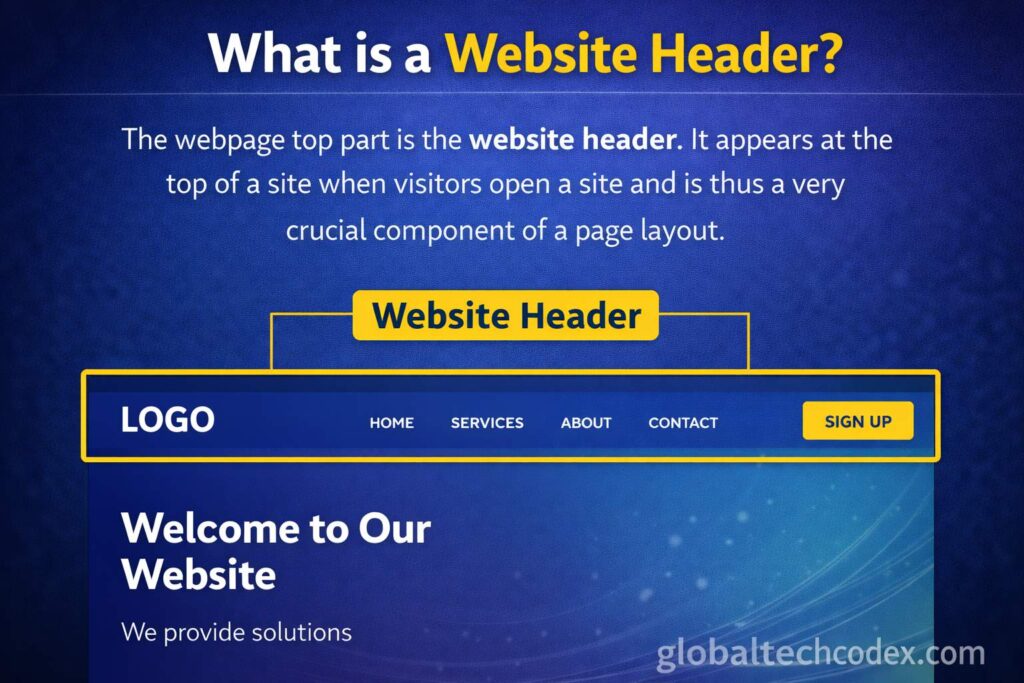
The webpage top part is the website header. It appears at the top of a site when visitors open a site and is thus a very crucial component of a page layout. The header contents introduce the users to the site and give them quick access to the major sections of the site.
Since the header is displayed at the top of all the pages, it assists in providing the visitors with a similar experience. The layout is user friendly and once someone acquaints themselves with it, it is easy to move around the site without any trouble.
The logo or the title of the web site is normally present in the header. The logo is an indication of the brand, company or the person behind the site. It allows the visitors to identify with the site at once and it tends to serve as a bridge leading the user to the home page.
The other aspect of the header that is significant is the navigation menu. The links present in this menu take one to other important pages of the site including Home, About, Services, Blog, Products, and Contact. The navigation menu enables the visitors to navigate the different parts of the site with a lot of ease and speed.
A search bar in the header is also present in many websites. The search facility enables the user to get certain content by keying in the keywords. This is especially handy with large sites which have numerous pages, articles or products.
Other headers also contain social media icons which direct to the Facebook, Instagram, Twitter, and LinkedIn platforms. These icons will urge the visitors to subscribe to the site in other platforms and remain updated.
A call-to-action button is another component that is usually featured in the header. Call-to-action is a step that asks visitors to make a certain action, i.e. to subscribe to a newsletter, create an account, or reach out to the company.
________________________________________
Significance of the Website Header.
The header has a significant role in creating the initial impression of the visitor. When people open a given site, the first thing they do is to scan the top part to know what it has to offer. A well defined and appealing headline will draw their attention and is motivation to further discussion.
The header enhances navigation, as well. Visitors may be lost in search of information without a properly structured navigation system. The header menu is a sort of orientation that assists the user to navigate through the site.
The other advantage of a properly structured header is branding. The identity of the site is indicated in terms of colors, fonts, and layout, which are also used in the header. In the long run, these designing aspects make the users recall and identify the brand.
There are websites whereby a sticky header is used, and it is placed at the top of the screen as the user continues scrolling down the page. This layout gives the visitors the opportunity to go through the navigation menu at any point without having to scroll the page back to the top.
________________________________________
What is a Website Footer?
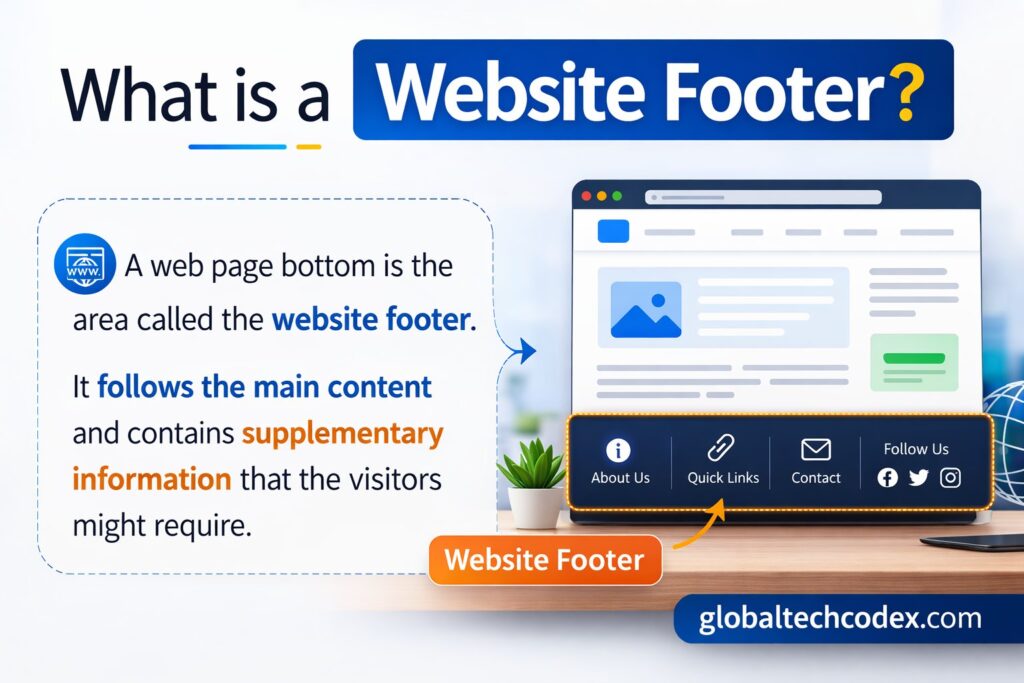
A web page bottom is the area called the website footer. It follows the main content and contains supplementary information that the visitors might require. The footer is another significant aspect of the design of websites though it is placed at the bottom of the page.
Footers usually have the information that is useful to the site but does not require to be shown in the main navigation menu. This is beneficial in ensuring that the header is not cluttered and the essential links are made available.
The information about copyright is one of the most widespread pieces of the footer. This normally consists of the copyright sign, the year in question and the name of the owner of the site. It demonstrates that the information on the site is copyrighted.
Secondary navigation links are another similarity of the footers. These can be e.g. Privacy Policy, Terms and Conditions, Disclaimer and Sitemap. These pages are significant to openness as well as legal issues but tend to be put in the footer so that the main menu can be clean.
Footers can also consist of contact details, e.g. email address, phone number or physical address. This enables the visitors to contact the owner of the web site or the firm easily in case they have queries or require assistance.
Newsletter subscription has also been included in the footer of many sites. Users who complete reading the content will have an option of subscribing to get notified of the latest updates, new postings or promotion.
Other websites feature links to the critical pages in the footer some are quick links to popular articles, product types, or customer support pages. Such links allow the users to keep exploring the site despite the fact that they have reached the bottom of the page.
Website Footer There is no question about the importance of the Website footer.
Footer allows a comfortable area where extra information which may not be included in the header can be found. Placing these links in the bottom part of the page, the websites ensure a very clean and user-friendly page.
Footers are also useful in enhancing navigation of the websites. Footer consists of links which direct the users to other parts of the site when they get to the bottom of a page rather than halting the visit to the site.
Credibility and trust is another major purpose of the footer. The site is transparent and professional, as such pages as Privacy Policy, Terms of Service, and contact information are included.
Search engine optimization (SEO) can also be supported using the footer. Footer placed internal links assist in search engines perceiving the organization of the site and listing the pages better.
________________________________________
Header and Footer Difference.
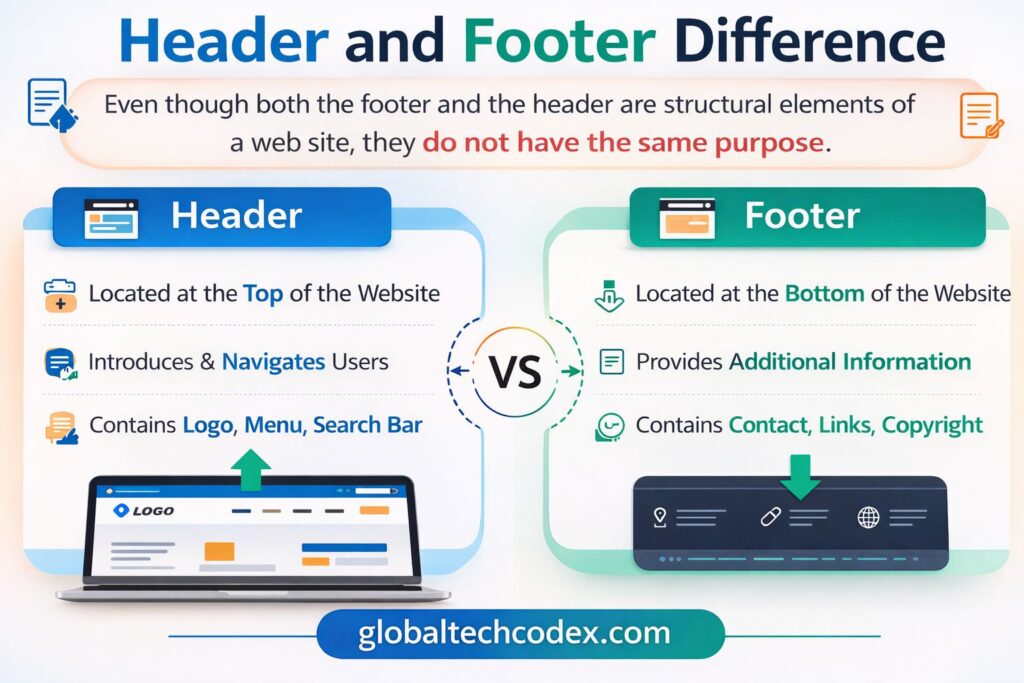
Even though both the footer and the header are structural elements of a web site, they do not have the same purpose.
The header is located at the top of the page and it is primarily concerned with branding and major navigation. It assists the visitors in grasping the purpose of the web site and navigation between pages very fast.
Footer is, on the other hand, placed on the bottom of the page and displays other resources, information, and secondary links. It is used as a supportive section, which assists users in locating valuable details once they are done reading the primary content.
________________________________________
Conclusion
To conclude, header and footer are very significant elements of a good web site. The header presents the site, shows the brand name, and gives easy navigation with the help of menus, search engines, and call-to-action buttons.
There is a footer on the bottom of the page which provides more details which include; copyright notices, policy links, contact details and useful resources. The header assists the user to take the initial steps in the site whereas the footer assists the user at the terminus by providing additional points of exploration.
These two parts combine in an effort to produce a well rounded and structured site. Well crafted header and footer does not only make a web site look professional but also enhances usability, navigation, and general user experience.